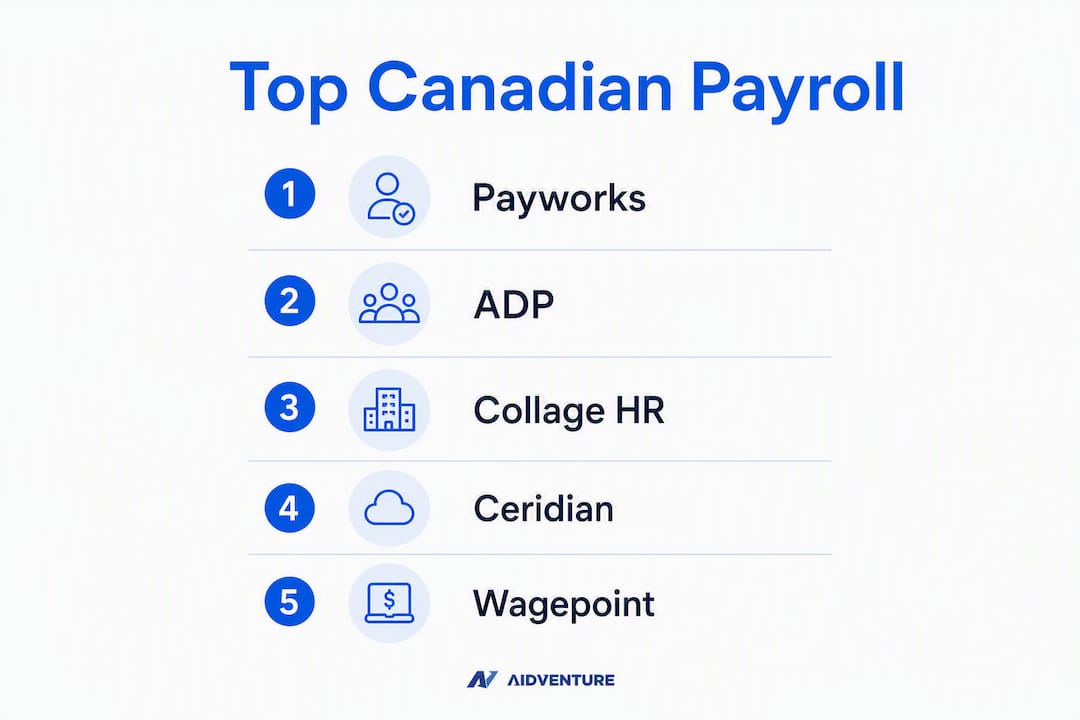
For Canadian SMBs, the top payroll platforms are Payworks, Collage HR, and Wagepoint, each earning its place on distinct strengths: Payworks for hands-on, Canada-native compliance support; Collage HR for integrated HR and payroll in one platform; and Wagepoint for transparent pricing that suits lean teams. The broader shortlist below covers every major option, from enterprise-capable suites to low-cost accounting add-ons, so you can match the right tool to your headcount, province, and budget before booking a single demo.
Quick shortlist:
- Payworks — Best for SMBs that want a dedicated, trained Canadian payroll rep and automated CRA remittances
- Collage HR — Best for Canadian employers who need HR workflows and payroll under one roof
- Wagepoint — Best for very small businesses and startups that need simple, transparent payroll
- ADP Workforce Now — Best for larger SMBs needing deep HR/payroll integration and bilingual support
- Humi — Best for SMBs that want modern HR automation paired with Canadian payroll
- QuickBooks Online Payroll — Best for small businesses already running QuickBooks accounting
- Wave Payroll — Best for micro-businesses on Wave Accounting looking for a low-cost payroll add-on
- Ceridian Dayforce / Powerpay — Best for mid-market organizations with complex, multi-province payroll needs
Top 3 to trial first: If CRA remittance automation and a named service rep are your primary concerns, start with Payworks. For bilingual support at enterprise scale, ADP Workforce Now is the first call. For the lowest-cost compliant entry point, Wagepoint or Wave Payroll will cover the basics without a long-term contract.
Table of Contents
- How the top Canadian payroll platforms compare
- Detailed profiles: which platform fits your business?
- How to choose payroll software in Canada: criteria, questions, and red flags
- When payroll software alone isn’t enough: the Aidventure perspective
- Key Takeaways
- Why Canadian payroll demands a Canada-first approach
- Aidventure’s payroll oversight service for Canadian SMBs
- Useful sources and further reading
How the top Canadian payroll platforms compare
| Platform | Best for | Starting price (CAD) | Payroll type | CRA remittances / ROE / T4 | Integrations | Bilingual support | Support model |
|---|---|---|---|---|---|---|---|
| Payworks | SMBs needing Canada-native support | Quote-based | Self-serve + managed | Native automation | Accounting, HRIS, benefits | Yes | Dedicated NPI-trained rep |
| Collage HR | HR + payroll in one platform | Quote-based | Self-serve | Yes | HR, benefits, accounting | Yes | Account manager |
| Wagepoint | Very small businesses, startups | ~$20/mo base + per employee | Self-serve | Yes | QuickBooks, Xero, Wave | Limited | Email/chat |
| ADP Workforce Now | Larger SMBs, bilingual orgs | Quote-based | Self-serve + managed | Yes | Broad marketplace | Full bilingual | Dedicated rep + SLA |
| Humi | HR automation + payroll, modern UX | Quote-based | Self-serve | Yes | Benefits, accounting | Yes | Account manager |
| QuickBooks Online Payroll | QuickBooks users | ~$20/mo + per employee | Self-serve | Yes | QuickBooks native | Limited | Chat/phone |
| Wave Payroll | Micro-businesses on Wave Accounting | ~$20/mo base + per employee | Self-serve | Yes (select provinces) | Wave Accounting native | Limited | |
| Ceridian Dayforce / Powerpay | Mid-market, complex payroll | Quote-based | Self-serve + managed | Yes | Broad HCM integrations | Yes | Dedicated rep + SLA |

A note on Quebec and WSIB: Quebec payroll runs through Revenu Québec (RQ) in addition to the CRA, which means any platform you choose must handle dual remittances natively. Platforms like Payworks and ADP handle RQ natively; some smaller tools require manual workarounds. For Ontario employers, WSIB reporting automation (including Form 7 after a workplace incident) is a material time-saver that not every platform offers out of the box.
Detailed profiles: which platform fits your business?
Collage HR

Best for: Canadian SMBs that want HR and payroll managed in a single system, without stitching together separate tools.
Collage HR is built specifically for Canadian employers. Its core value is the tight connection between HR workflows (onboarding, time-off, benefits) and payroll, so a new hire’s data flows directly into payroll without re-entry. CRA remittances, ROE generation, and T4/T4A processing are all handled natively.
Pros:
- Purpose-built for Canadian compliance (CRA, ROE, T4)
- HR and payroll in one platform reduces data errors
- Clean interface suited to HR generalists, not just payroll specialists
Cons:
- Pricing is quote-based, so you need a sales call to compare costs
- Less suited to organizations with highly complex payroll scenarios (union rules, multiple pay scales)
Canada compliance note: Supports provincial tax calculations and ROE automation. Quebec/RQ handling is available; confirm scope during demo.
Why we picked it: For a Canadian SMB managing 10–150 employees, the HR-to-payroll data flow alone eliminates a category of manual error that causes CRA penalties.
Demo first if: You’re currently running HR and payroll in separate tools and losing time to duplicate data entry.
ADP (Workforce Now / ADP Canada)
Best for: Larger SMBs and organizations that need a full HR/payroll suite with bilingual capabilities and a wide vendor marketplace.
ADP Workforce Now is the most feature-complete platform on this list. It covers payroll, benefits, time and attendance, talent management, and analytics in one suite. A Forrester Consulting study commissioned by ADP found that optimized Workforce Now deployments increased HR staff productivity by 20% and payroll staff efficiency by 15%. Full French/English bilingual support is built in, which matters for any employer with staff in Quebec or across bilingual provinces.
Pros:
- Full bilingual (French/English) support throughout the platform
- Broad integration marketplace (accounting, benefits, HRIS)
- AI-enabled features for payroll anomaly detection and reporting
- Scales from mid-size SMB to enterprise without a platform change
Cons:
- Pricing is quote-based and tends to be higher than simpler tools
- Implementation complexity increases with headcount and module count
- Can feel like more platform than a 10-person team needs
Canada compliance note: Native CRA remittances, ROE, T4/T4A, and Quebec/RQ handling. WSIB reporting is available.
Why we picked it: No other platform on this list matches ADP’s combination of bilingual depth and integration breadth for organizations operating across multiple provinces.
Demo first if: You have staff in Quebec, need French-language payroll documents, or are running more than 100 employees.
Payworks
Best for: SMBs that want a Canadian-built payroll solution with a named, trained service representative on every account.
Payworks is the most Canada-native option on this list. Every account gets a dedicated representative trained by the National Payroll Institute, and federal and provincial remittances are automated natively. The platform handles ROE submissions directly to Service Canada, which removes one of the most error-prone manual steps in Canadian payroll. Payworks uses a five-step implementation process and positions itself explicitly as a compliance partner, not just a software vendor.
Pros:
- Dedicated NPI-trained rep on every account
- Automated CRA and provincial remittances, including Quebec/RQ
- Direct ROE submission to Service Canada
- Canadian-built: no US-centric workarounds for provincial rules
Cons:
- Pricing is quote-based; no public per-employee rate
- Less suited to businesses that want a fully self-serve, no-rep model
- Integration ecosystem is narrower than ADP’s
Canada compliance note: Full CRA remittance automation, ROE, T4/T4A, and provincial tax. Quebec/RQ supported natively.
Why we picked it: Industry experts consistently note that having a named, trained payroll rep reduces year-end risk for SMBs. Payworks is the clearest expression of that model in the Canadian market.
Demo first if: Year-end compliance risk and CRA remittance accuracy are your top concerns, or you’ve had issues with a previous vendor’s support quality.
Ceridian Dayforce / Powerpay
Best for: Mid-market organizations with complex, multi-province payroll needs that require enterprise-grade HCM capabilities.
Ceridian operates two products in Canada: Dayforce for mid-market and enterprise HCM, and Powerpay for smaller businesses. Dayforce handles complex payroll scenarios including multi-province operations, variable pay, and detailed compliance reporting. It’s the platform of choice when payroll intersects with workforce management at scale.
Pros:
- Enterprise-grade payroll and HCM in a single platform
- Strong multi-province and Quebec/RQ compliance coverage
- Robust reporting and analytics for complex organizations
Cons:
- Implementation timelines are longer than simpler SMB tools
- Pricing is quote-based and reflects enterprise positioning
- Powerpay (the SMB product) has a narrower feature set than Dayforce
Canada compliance note: Full CRA, ROE, T4/T4A, and Quebec/RQ support. WSIB reporting available.
Why we picked it: For a Canadian business that has outgrown SMB payroll tools but isn’t ready for a full enterprise ERP, Dayforce occupies a practical middle ground.
Demo first if: You’re managing payroll across three or more provinces, or your current platform can’t handle variable compensation structures.
Wagepoint
Best for: Very small businesses and startups that want simple, compliant payroll with transparent pricing.
Wagepoint is purpose-built for simplicity. The platform covers the core Canadian compliance requirements (CRA remittances, ROE, T4) without the overhead of a full HR suite. Pricing starts around $20/month base plus a per-employee fee, making it one of the most affordable compliant options for businesses under 20 employees. The interface is straightforward enough that a non-payroll specialist can run payroll accurately.
Pros:
- Transparent, low-cost pricing for small teams
- Clean, simple interface with minimal learning curve
- Core Canadian compliance: CRA remittances, ROE, T4
Cons:
- Limited HR features; payroll-only focus
- Bilingual support is limited compared to Payworks or ADP
- Less suited to businesses with complex payroll (commissions, union rules, multi-province)
Canada compliance note: CRA remittances, ROE, and T4 are handled. Quebec/RQ support is available but confirm scope for your specific situation.
Why we picked it: For a startup or micro-business running payroll for fewer than 20 employees, Wagepoint delivers compliant payroll at a price point that doesn’t require a budget conversation.
Demo first if: You’re currently running payroll manually in a spreadsheet and want the simplest possible path to compliance.
Wave Payroll (Wave Accounting Payroll Canada)
Best for: Very small Canadian businesses already using Wave Accounting that want payroll integrated with their books.
Wave Payroll’s primary advantage is its tight connection to Wave Accounting. If your general ledger already lives in Wave, adding payroll keeps your books and payroll data in sync without a separate integration. Pricing is comparable to Wagepoint at roughly $20/month base plus per-employee fees. The compliance coverage is solid for most provinces, though Wave’s payroll is available in select Canadian provinces, so confirm availability for your location before committing.
Pros:
- Native integration with Wave Accounting
- Low-cost entry point for micro-businesses
- Simple setup for businesses with straightforward payroll
Cons:
- Province availability is limited; not available everywhere in Canada
- Support is email-based with no dedicated rep
- No HR features beyond basic payroll
Canada compliance note: CRA remittances and T4 supported in covered provinces. Confirm ROE automation and Quebec/RQ availability during onboarding.
Why we picked it: For a Wave Accounting user with under 10 employees, this is the path of least resistance to integrated, compliant payroll.
Demo first if: You’re already on Wave Accounting and want to avoid a separate accounting integration entirely.
QuickBooks Online Payroll (Canada)
Best for: Small businesses already running QuickBooks Online who want payroll that syncs directly with their accounting.
QuickBooks Online Payroll for Canada integrates natively with QuickBooks Online, which means payroll journal entries post automatically to your general ledger. Pricing starts around $20/month plus a per-employee fee. CRA remittances, ROE, and T4 processing are included. The platform is well-suited to businesses where the bookkeeper or accountant already works in QuickBooks and doesn’t want to manage a separate payroll data feed.
Pros:
- Native QuickBooks accounting sync
- Familiar interface for existing QuickBooks users
- CRA remittances, ROE, and T4 included
Cons:
- Bilingual support is limited
- No dedicated payroll rep; support is chat/phone
- Less suited to businesses with complex HR needs
Canada compliance note: CRA remittances, ROE, and T4 are supported. Quebec/RQ handling is available; verify scope for your payroll structure.
Why we picked it: The accounting sync alone saves hours of manual journal entries each pay period for a business already on QuickBooks.
Demo first if: Your bookkeeper lives in QuickBooks and you want payroll data to flow into your books without a manual export.
Humi
Best for: Canadian SMBs that want a modern, HR-first platform with payroll built in and a clean user experience.
Humi is designed for Canadian employers who want HR automation (onboarding, time-off, performance) and payroll in a single, modern interface. The platform is built for Canada, covering CRA remittances, ROE, and T4/T4A natively. Its UX is notably cleaner than older enterprise platforms, which reduces training time for HR generalists and managers who aren’t payroll specialists.
Pros:
- Modern interface with strong HR automation features
- Built for Canadian compliance (CRA, ROE, T4/T4A)
- HR and payroll in one platform, similar to Collage HR
Cons:
- Pricing is quote-based
- Less suited to very complex payroll scenarios
- Smaller integration ecosystem than ADP
Canada compliance note: CRA remittances, ROE, T4/T4A supported. Bilingual support available; confirm Quebec/RQ depth during demo.
Why we picked it: Humi occupies the same HR+payroll space as Collage HR but with a UX that tends to resonate with tech-forward SMBs and startups.
Demo first if: Your team is growing fast and you need HR automation (onboarding, time-off tracking) alongside payroll, without paying for an enterprise platform.
How to choose payroll software in Canada: criteria, questions, and red flags
The criteria that matter most for Canadian SMBs
Canadian payroll is not a simplified version of US payroll. The CRA remittance schedule, Record of Employment (ROE) submissions to Service Canada, T4/T4A year-end processing, and Quebec’s dual-remittance requirement through Revenu Québec all create compliance obligations that US-centric platforms handle poorly or not at all. Add provincial Workers’ Compensation Board (WCB/WSIB) reporting, and the compliance surface area is significant even for a 15-person business.
Prioritize these criteria in your evaluation:
- CRA remittance automation: The platform should calculate and remit source deductions (CPP, EI, income tax) to the CRA on your schedule without manual intervention.
- ROE automation: ROE generation and direct submission to Service Canada should be built in, not a manual export.
- T4/T4A year-end processing: Year-end filing should be automated, with CRA direct submission included.
- Quebec/RQ support: If you have any employees in Quebec, confirm the platform handles both CRA and RQ remittances natively.
- WSIB/WCB reporting: For Ontario and other provinces, confirm the platform handles WCB premium calculations and, ideally, Form 7 automation after a workplace incident.
- Bilingual support: French-language payroll documents and French-speaking support staff are a legal and practical requirement for Quebec employers.
- Payment methods: Direct deposit via EFT is standard; confirm the platform supports your bank and your pay frequency.
- Accounting integration: A direct feed to QuickBooks, Xero, or Sage eliminates manual journal entries and reduces reconciliation time. For SaaS businesses tracking monthly financial statements, this integration is the difference between clean books and a quarterly cleanup project.
Questions to ask on every demo
- Where is payroll data stored? Is it in Canada, and does that satisfy your data residency requirements?
- Does the platform handle Quebec/RQ remittances natively, or does it require a workaround?
- Is there a dedicated, named payroll representative on our account, and what is their response SLA?
- How does the platform handle ROE submissions? Is it direct to Service Canada, or do we export and submit manually?
- What does year-end T4 processing cost? Is it included in the base fee or billed separately?
- Can the platform handle contractors (T4A) alongside employees (T4) in the same pay run?
- What is the implementation timeline, and what does the onboarding process look like?
- How are pricing increases communicated, and what triggers an add-on fee?
Implementation timeline: what to expect
For a Canadian SMB with 10–100 employees, a typical payroll software implementation runs four to eight weeks from contract signing to live payroll. The phases generally look like this:
- Weeks 1–2: Data migration (employee records, pay rates, YTD figures, banking details)
- Weeks 2–3: Configuration (pay schedules, deduction codes, provincial tax settings, accounting integration)
- Week 3–4: Parallel run (process one pay period on both old and new systems to verify outputs)
- Week 4–6: Go-live and first live pay run
More complex setups (multi-province, Quebec, union rules, or benefits integration) add two to four weeks. Budget for at least one full pay cycle of parallel running before you decommission your old system.
Total cost of ownership: beyond the base fee
The base per-employee fee is rarely the full cost. Common add-ons that inflate total cost include:
- Year-end T4/T4A processing fees (some vendors charge per slip)
- ROE submission fees (charged per ROE in some pricing models)
- Off-cycle payroll run fees
- Setup and data migration fees
- Training and onboarding fees
- Premium support or dedicated rep tiers
Get a written quote that itemizes every fee category before signing. A platform that looks cheaper at $5/employee/month can end up more expensive than a $12/employee/month platform once year-end and support fees are included.
Pro Tip: Ask every vendor to provide a sample invoice for a business your size that ran payroll for 12 months, including year-end. That single document reveals every fee the base pricing page omits.
Red flags to watch for
- No native CRA remittance automation (requires manual bank transfers)
- ROE generation is manual or export-only, with no direct Service Canada submission
- Quebec/RQ support is described as “available via workaround” rather than native
- Pricing is presented as a single number with no itemization of add-ons
- No named support contact; all support is ticketed with no SLA commitment
- Data is stored outside Canada with no option for Canadian residency
When payroll software alone isn’t enough: the Aidventure perspective
Most Canadian SMBs can run compliant payroll with the right software. The question worth asking is whether software alone covers the full compliance and financial oversight picture, or whether a layer of expert oversight changes the risk profile.
The table below maps three service models against the dimensions that matter most for a growing Canadian business.
| Dimension | Software-only | Vendor-managed payroll | Fractional finance oversight (Aidventure-style) |
|---|---|---|---|
| Monthly cost band | $20+/mo | $200+/mo | Retainer-based; varies by scope |
| Control | Full (owner runs payroll) | Delegated to vendor | Shared: vendor runs, advisor reviews |
| Compliance risk | Owner-dependent | Vendor SLA | Advisor catches gaps vendor misses |
| Year-end readiness | Owner-managed | Vendor-managed | Advisor-reviewed and reconciled |
| Speed to value | Fast setup | Moderate | Moderate; highest value at scale |
| Best fit | 1–20 employees, simple payroll | 20–100 employees, limited HR staff | 20+ employees, scaling or investor-backed |
A fractional finance team adds a layer that vendor-managed payroll does not: independent reconciliation, variance analysis, and year-end readiness review that sits outside the vendor’s own quality control. For a SaaS startup tracking Annual Recurring Revenue (ARR) and preparing for a funding round, payroll accuracy feeds directly into the financial statements that investors scrutinize. A missed remittance or a misclassified contractor (T4A vs. T4) can create CRA liability that surfaces at the worst possible moment.
What a fractional finance team typically delivers on payroll oversight:
- Monthly payroll reconciliation against general ledger
- Variance analysis (headcount changes, rate changes, one-time payments)
- CRA remittance verification and year-end T4/T4A review
- Vendor SLA oversight (escalation when the payroll rep misses a deadline)
- Integration support between payroll and accounting systems
For a business moving from DIY payroll in a spreadsheet to a managed platform, the migration path typically runs: select software → configure and parallel-run → go live → add fractional oversight once payroll volume or complexity justifies it. That last step is where managing finances without a full-time CFO becomes a concrete operational question rather than a theoretical one.
Key Takeaways
The best payroll software for Canadian SMBs is the one that handles CRA remittances, ROE, and T4 natively, assigns a trained support contact, and integrates with your accounting system without a manual data export.
| Point | Details |
|---|---|
| Canada-native compliance is non-negotiable | Platforms must handle CRA remittances, ROE, T4/T4A, and Quebec/RQ natively, not via workarounds. |
| Support model drives year-end risk | A dedicated, NPI-trained rep (as Payworks provides) materially reduces compliance errors at year-end. |
| Total cost exceeds the base fee | Year-end T4 fees, ROE fees, and off-cycle run charges can double the apparent monthly cost. |
| Implementation takes 4–8 weeks | Budget for a parallel pay run before decommissioning your existing system. |
| Aidventure adds oversight beyond the vendor | Fractional finance oversight covers reconciliation, variance analysis, and year-end readiness that vendor SLAs do not. |
Why Canadian payroll demands a Canada-first approach
The compliance gap between a US-built payroll tool and a Canada-native one is not a minor configuration issue. CRA remittance schedules, ROE submissions to Service Canada, and Quebec’s dual-remittance requirement through Revenu Québec are structural differences that require native platform support. A US-centric platform that handles Canadian payroll as an afterthought typically requires manual workarounds for at least one of these obligations, and manual workarounds are where CRA penalties originate.
The bilingual dimension compounds this. For any employer with staff in Quebec, French-language pay stubs, ROEs, and T4s are a legal requirement, not a preference. A platform that offers bilingual support only as a premium add-on, or only in the interface but not in documents, creates a compliance gap that surfaces at the worst time: during an audit or an employee dispute.
The practical advice: build your shortlist exclusively from platforms that treat Canadian compliance as a core product requirement, not a feature flag. Payworks, Collage HR, and ADP Workforce Now all meet that standard. Wagepoint and Humi meet it for most SMB scenarios. Wave Payroll and QuickBooks Online Payroll meet it for straightforward, single-province operations. Ceridian Dayforce meets it at mid-market scale. None of them require you to build a workaround for a CRA remittance.
Aidventure’s payroll oversight service for Canadian SMBs
Payroll software handles the mechanics. Aidventure handles the financial layer that sits above it: reconciliation, variance analysis, year-end readiness, and the vendor oversight that keeps your payroll data accurate when it flows into your financial statements.

For SaaS startups and scaling SMBs, payroll accuracy is a direct input to the financial metrics that matter: ARR, burn rate, and the clean books that investors and lenders expect. Aidventure’s fractional CFO and accounting operations services integrate with your chosen payroll platform, verify remittances monthly, and flag discrepancies before they become CRA issues.
What Aidventure adds beyond your payroll vendor:
- Monthly payroll-to-GL reconciliation
- Variance analysis on headcount and compensation changes
- Year-end T4/T4A readiness review
- CRA remittance verification
- Payroll vendor SLA oversight and escalation support
If you’re evaluating whether to add financial oversight to your payroll setup, the fractional CFO services page outlines the full scope. For a broader view of flexible financial management options that fit a growing Canadian business, that resource maps the full range of advisory models by stage and budget.
Useful sources and further reading
Use these sources to verify vendor claims, check current pricing, and prepare demo questions.
Vendor documentation:
Independent reviews:
- ADP Workforce Now reviews — G2 — User reviews covering real-world experience with ADP’s payroll and HR features. Use to identify common implementation pain points.
- Ceridian Dayforce reviews — G2 — User reviews for Dayforce covering mid-market payroll scenarios. Use to assess complexity and implementation timelines.
- QuickBooks Payroll reviews — Capterra — User reviews covering accounting integration and support quality. Use to verify the QuickBooks sync experience.
Regulator and compliance resources:
- Canada Revenue Agency — Payroll — Primary source for CRA remittance schedules, T4 filing deadlines, and employer obligations. Verify current deadlines here before your first live pay run.
- Service Canada — Record of Employment — Official guidance on ROE submission requirements and deadlines. Use to verify what your payroll platform must automate.
How to use these during due diligence: Cross-reference vendor feature claims against G2 and Capterra reviews from users in your industry and province. Check the CRA and Service Canada pages for current remittance schedules and ROE deadlines before your demo, so you can ask vendors to demonstrate those specific workflows live, not just describe them.