For single-entity, early-stage SaaS companies, QuickBooks Online covers core accounting needs at a fraction of the cost. Once you’re managing multiple legal entities, complex ASC 606 revenue recognition, or subscription billing with heavy proration and usage-based components, planning a move to an ERP like NetSuite becomes the right call. The decision isn’t about hitting a revenue number — it’s about operational complexity outpacing your current system. If you’re unsure where you stand, an Aidventure readiness assessment or fractional CFO engagement is the fastest way to get a clear answer before committing to either path.
Table of Contents
- How do NetSuite and QuickBooks compare for subscription SaaS?
- Which platform fits your company’s current stage?
- What feature gaps actually affect SaaS operations?
- What does a NetSuite migration actually cost?
- What questions should you ask vendors and partners?
- Common mistakes founders make when choosing or migrating
- Key Takeaways
- The case for advisory-led decisions
- Aidventure’s financial advisory services for SaaS founders
- Useful sources and further reading
How do NetSuite and QuickBooks compare for subscription SaaS?
QuickBooks Online is purpose-built for small businesses: fast to onboard, affordable, and solid for core GL, AP/AR, bank reconciliation, and invoicing. NetSuite is a full ERP that integrates financials with inventory, CRM, procurement, HR, and analytics in a single database, built for multi-subsidiary organizations. They are not apples-to-apples — QuickBooks records financial transactions while NetSuite records operations across the entire business.
| Dimension | QuickBooks Online | NetSuite ERP |
|---|---|---|
| Best for | Single-entity SaaS, seed to Series A | Multi-entity, Series B+, complex ops |
| Billing & subscription support | Basic invoicing; third-party tools required for SaaS billing | Native subscription billing and plan management |
| ASC 606 / revenue recognition | Manual or third-party add-on | Native module with deferred revenue automation |
| Multi-entity & multi-currency | Limited; manual consolidation | Native multi-subsidiary consolidation and multi-currency |
| Reporting & dashboards | Standard financial reports; limited real-time SaaS KPIs | Configurable real-time dashboards across entities |
| Integrations & ecosystem | Large app marketplace; Stripe, HubSpot, Salesforce | Broad native modules; certified partner ecosystem |
| Implementation time | Days to weeks | Several months with a certified partner |
| TCO (first year) | Low; predictable subscription pricing | Higher total cost due to license, implementation, and partner fees |
Three tradeoffs to run through before deciding:
- If your team reconciles data across three or more spreadsheets every month close, you’re already paying a hidden operational tax that QuickBooks won’t fix.
- NetSuite’s first-year total cost of ownership commonly includes significant implementation partner fees that add materially to the platform license cost.
- Staying on QuickBooks with the right advisory layer is frequently the better financial decision at Series A — the platform isn’t the bottleneck yet.
Which platform fits your company’s current stage?
The migration trigger is operational complexity, not a specific ARR milestone. Most guidance points to multi-entity structures, inventory tie-ins, and heavy automation needs as the real inflection point — not a revenue threshold.

Stay on QuickBooks if: you operate as a single legal entity, bill customers on straightforward monthly or annual plans, and your finance team closes the books in under five days without manual consolidations. QuickBooks handles core GL, AP/AR, and payroll add-ons at a cost that makes sense for this stage. Pair it with flexible financial planning support to get strategic value without ERP overhead.
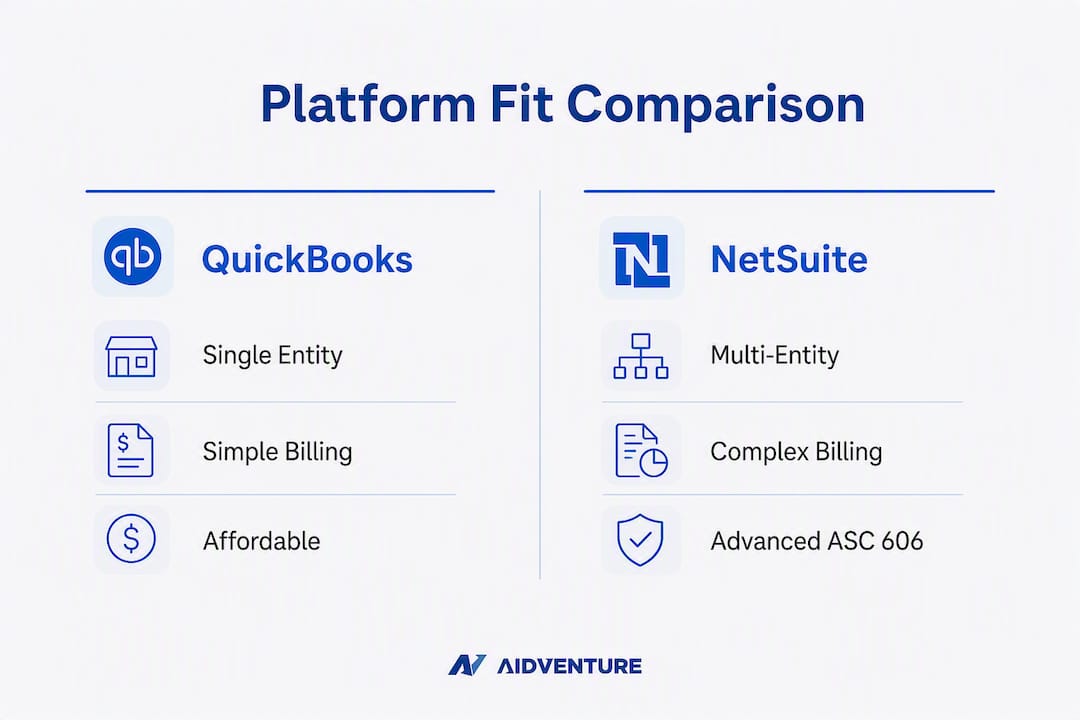
Add advisory services while staying on QuickBooks if: your ARR is growing but you’re still single-entity, your ASC 606 recognition is manageable with a third-party tool like Maxio or Chargebee, and your reporting gaps are a process problem rather than a platform limitation. A fractional CFO can close those gaps without a costly migration.
Plan a NetSuite migration if: you’ve acquired or launched a second legal entity, you’re managing multi-currency transactions across subsidiaries, your billing model includes usage-based components with complex proration, or your board requires GAAP-compliant consolidated financials that QuickBooks cannot produce reliably.
Pro Tip: The clearest non-revenue signal that you’ve outgrown your current system is consistent cross-department Excel reconciliations at month-end. When your finance team and your revenue team are working from different numbers, the problem is architectural — not a process fix.
What feature gaps actually affect SaaS operations?
The capabilities that matter most for subscription businesses fall into four categories: billing automation, revenue recognition, multi-entity reporting, and integrations.
Subscription-specific capabilities to evaluate:
- Automated billing for plan upgrades, downgrades, and mid-cycle changes
- Proration calculations and credit memo automation
- Usage-based billing with metered consumption tracking
- ASC 606 recognition rules applied at the contract level
- Deferred revenue schedules with automated waterfall reporting
- Audit trails for every revenue event (critical for investor diligence and audits)
| Capability | QuickBooks Online | NetSuite |
|---|---|---|
| Automated subscription billing | Integrated via Stripe, Chargebee, or Maxio | Native SuiteBilling module |
| ASC 606 revenue recognition | Third-party add-on required | Native Advanced Revenue Management |
| Deferred revenue management | Manual or partner tool | Automated schedules, native |
| Multi-entity consolidation | Manual; not designed for it | Native; real-time across subsidiaries |
| SaaS KPI dashboards (MRR, ARR, churn) | Third-party BI tools (Looker, Tableau) | Configurable native dashboards |
| Audit trail for revenue events | Basic | Comprehensive, module-level |
The integration risk with QuickBooks is data fragmentation. When Stripe handles billing, Chargebee manages subscriptions, HubSpot owns the customer record, and QuickBooks holds the GL, reconciliation overhead compounds every month. NetSuite’s single-database architecture eliminates most of that overhead — though it introduces its own complexity during implementation.
What does a NetSuite migration actually cost?
ERP vendors provide custom pricing based on modules, users, and contract terms — there is no public list price. Budget for these components: platform license, named-user fees, module add-ons (SuiteBilling, Advanced Revenue Management, Multi-Book Accounting), implementation partner fees, internal project team time, training, and ongoing support contracts.
The first-year TCO for a NetSuite implementation commonly equals or exceeds the annual platform license itself once implementation partner fees are included — a figure that surprises founders who benchmark only against QuickBooks subscription costs.
A typical implementation runs through five phases: discovery and scoping (4–6 weeks), configuration and customization (8–12 weeks), data migration and cleansing (4–8 weeks), user acceptance testing (3–4 weeks), and go-live plus post-launch stabilization (4–6 weeks). The full timeline routinely spans several months for SaaS companies with moderate complexity.
Before committing, complete these migration readiness steps: run a GL audit to identify and clean up chart-of-accounts inconsistencies, document every billing workflow and exception, select a certified implementation partner with SaaS-specific case studies, define your rollback criteria in writing, and run a parallel-close pilot for at least one month before full cutover. Use Aidventure’s financial planning checklist to structure the readiness phase.
What questions should you ask vendors and partners?
Vendor calls reveal more than demos. Go in with specific questions that surface scope gaps and implementation risk.
- Can you show a live demo of ASC 606 deferred revenue recognition for a SaaS contract with mid-cycle upgrades?
- How does your team handle data migration from QuickBooks, and what is your data-cleansing process?
- Do you have a sandbox environment configured for our specific billing model before we sign?
- What does multi-entity consolidation look like in your standard reporting, and can we see a sample close package?
- What is your rollback or backout strategy if go-live is delayed or fails?
- What training is included in the implementation fee, and what does ongoing support cost after go-live?
Red flags to watch for: an implementation partner who cannot provide SaaS-specific case studies, a scope of work with vague line items like “configuration as needed,” no sandbox access before contract signing, and a timeline under four months for anything beyond a simple single-entity deployment. Custom pricing without a sample TCO breakdown is also a signal to push harder before signing.
Common mistakes founders make when choosing or migrating
- Treating accounting software as an ERP. QuickBooks records transactions. An ERP records operations. Expecting QuickBooks to deliver real-time operational dashboards or multi-entity consolidation sets up a failure that no integration can fully fix.
- Patching QuickBooks with too many point solutions. Each integration adds reconciliation overhead, a potential data gap, and a vendor relationship to manage. The short-term cost savings disappear quickly when finance spends 20+ hours per month close reconciling disconnected systems.
- Underbudgeting for change management. A NetSuite implementation is an organizational change project. Process re-engineering and staff training deserve their own budget line — software alone does not deliver the outcome.
- Migrating a dirty GL. Chart-of-accounts inconsistencies, duplicate vendors, and unreconciled deferred revenue balances that are tolerable in QuickBooks become expensive problems in a NetSuite migration. Clean the data before you move it.
- Skipping the readiness assessment. Founders who go straight to vendor selection without an internal audit of billing workflows, entity structure, and reporting requirements consistently underestimate scope and overrun budgets.
Pro Tip: Bringing in a fractional CFO or Aidventure advisory support before the vendor selection phase — not after go-live — is where the cost savings are largest. Scope definition and partner selection are the highest-leverage moments in any migration.
Key Takeaways
NetSuite fits multi-entity SaaS companies with complex billing and ASC 606 needs; QuickBooks remains the right choice for single-entity startups where operational complexity hasn’t yet outpaced the platform.
| Point | Details |
|---|---|
| Stage determines the platform | Single-entity, early-stage SaaS should stay on QuickBooks; multi-entity or complex billing ops warrant NetSuite planning. |
| Complexity beats revenue as the trigger | Multi-subsidiary needs, ASC 606 workflows, and usage-based billing are stronger migration signals than ARR alone. |
| TCO runs higher than the license | NetSuite’s first-year cost includes implementation partner fees that commonly match or exceed the platform license. |
| Migration takes 6–12 months | A realistic NetSuite implementation spans discovery through post-go-live stabilization across multiple phases. |
| Aidventure reduces migration risk | Engaging Aidventure’s fractional CFO or advisory services before vendor selection improves scope accuracy and lowers total cost. |
The case for advisory-led decisions
Most founders approach the NetSuite vs QuickBooks decision as a software evaluation. The ones who get it right treat it as an operational strategy question first.
The platforms are not interchangeable, and the gap between them is not just features — it’s organizational readiness. NetSuite delivers its value when the processes feeding it are clean, the team is trained, and the implementation partner understands SaaS billing models specifically. Without those conditions, the ERP becomes an expensive GL with a complicated interface.
What gets underestimated consistently is the cost of a premature migration. A Series A company that moves to NetSuite before its billing workflows are documented, its entity structure is finalized, and its finance team is ready will spend the next 18 months in a stabilization loop. The platform isn’t wrong — the timing is. Staying on QuickBooks with strong advisory oversight and the right third-party billing tool is often the higher-ROI decision at that stage.
The reverse mistake is also real: staying on QuickBooks past the point where it can support the business. When month-end close requires manual consolidations across entities, when your auditors flag deferred revenue schedules as unsupported, or when your board asks for consolidated financials you cannot produce — those are not process problems. They are platform limitations, and no amount of advisory support fixes a structural mismatch between your operations and your accounting system.
The right answer is stage-specific, and it changes as the company grows. That’s exactly why pairing software decisions with ongoing financial advisory produces better outcomes than either alone.
Aidventure’s financial advisory services for SaaS founders
Founders who’ve worked through this comparison know the real challenge isn’t picking a platform — it’s knowing when to move, how to scope it, and who to trust with the execution. Aidventure’s fractional CFO and financial management services are built specifically for SaaS startups navigating exactly this decision.

Aidventure offers a SaaS KPI audit to validate your current reporting gaps, an implementation readiness assessment to scope a migration before you sign with a vendor, and ongoing fractional CFO retainers to provide financial oversight through go-live and beyond. For founders not yet ready for a full migration, Aidventure’s accounting operations service keeps QuickBooks running cleanly while the business scales toward ERP readiness.
The engagement starts with a structured assessment — no long-term commitment required upfront. Explore your financial management options and connect with Aidventure to define the right path for your company’s current stage.
Useful sources and further reading
| Type | Source | Why it helps |
|---|---|---|
| Vendor comparison | Forbes Advisor: NetSuite vs QuickBooks | Balanced feature and pricing overview for business owners |
| Vendor doc | QuickBooks: NetSuite vs QuickBooks | Intuit’s positioning of QBO vs enterprise alternatives |
| ERP alternatives | Gartner Peer Insights: NetSuite Alternatives | Verified buyer reviews and competitive alternatives |
| ERP buying guide | NetSuite: ERP Competitors Guide | Oracle’s overview of the ERP market and NetSuite’s positioning |
| Comparative analysis | Fairview: QuickBooks vs NetSuite | SMB vs enterprise framing with implementation and TCO context |
| Accounting standard | FASB ASC 606 | Primary source for revenue recognition requirements under US GAAP |